
Chrome extensions
Your next trip, one tab away.
Two small Chrome extensions from Trvlrr. One turns every new tab into a countdown to your next trip over a map of the countries you've been to. The other saves a place from Google Maps, or a booking from any page, to a trip with one click. Both are free, and the new tab needs no account at all.
Two extensions
Pick one, or both.
Both extensions are in review at the Chrome Web Store. The install links will be here as soon as Google approves them.

Trvlrr New Tab: trip countdown & countries visited map
Every new tab shows how many days are left until your next trip, over the city's poster art, and a world map of the countries you've visited. Click a country to tick it off.
- Works straight away, with no account: add a trip and a date and the countdown starts
- Sign in and it follows your real trips, and fills the map from the trips you've taken
- With Trvlrr Plus, photos from this day in past years
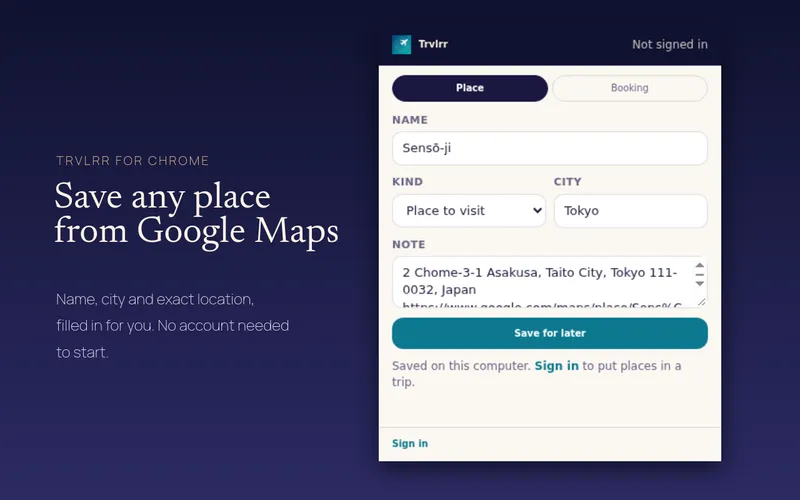
Trvlrr – Save Places & Bookings
On a Google Maps place, the toolbar button fills in the name, the city, the country and the exact position. Choose a trip and it's saved there as a place to visit. Or right-click any page and pick Save to Trvlrr.
- Signed out, places are kept on your computer and move into a trip when you sign in
- Select a booking confirmation on a page, and Trvlrr reads it onto the right trip and day (needs a free account)
- Each saved item opens in the web app with a link
Signed in
The same trips as the app.
Signing in is the same sign-in as the iPhone app and the web. Approve it once, and the extension appears under Profile → Connected apps, where you can disconnect it any time. Everything it saves shows up in the app straight away.
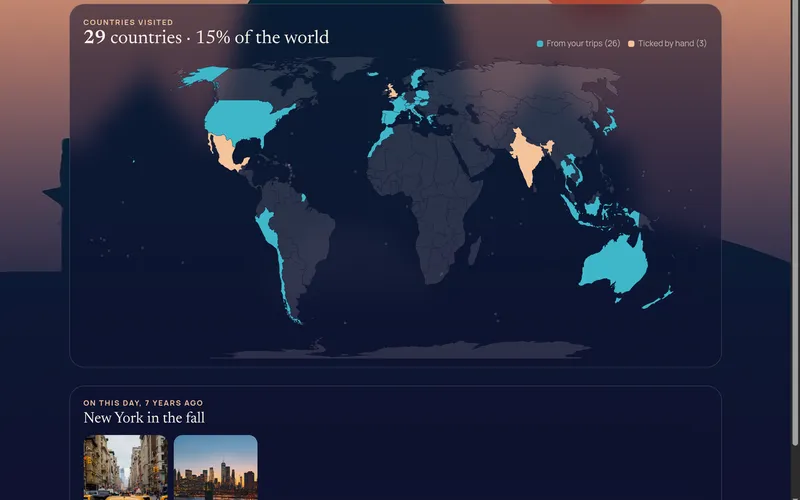
Your real next trip
Signed in, the new tab counts down to the next trip in your Trvlrr account and colours in every country you've been to, counted the way the app counts them.
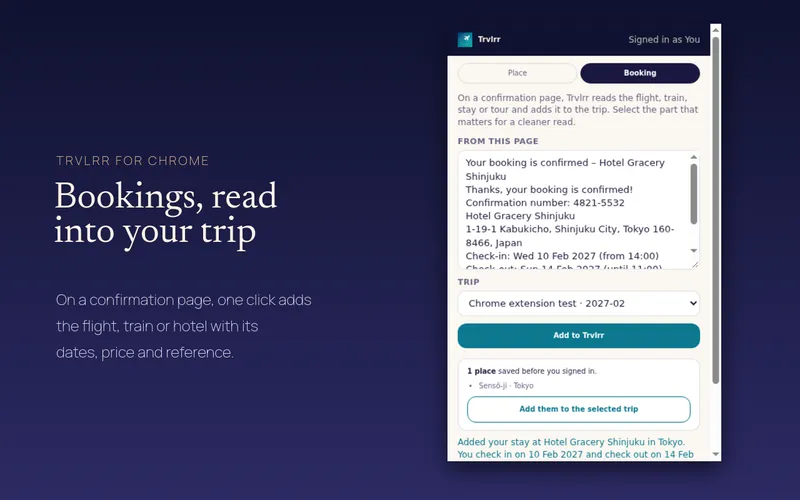
Bookings from any page
Select the details on a confirmation page, open the extension's Booking tab, and Trvlrr reads the flight, stay or activity onto the trip, in local time, like a forwarded email.
Privacy
Only what you choose to save.
The extensions read a page only when you click the button or the menu item, and only that page. They send nothing about your browsing and no analytics. Signed out, your trips and countries stay in your browser; the new tab only asks Trvlrr for the poster picture of the place you typed. The privacy policy has the details.
Questions
Asked and answered
Are the Trvlrr Chrome extensions free?
Yes. Both are free. The new tab works without an account; saving to a trip needs a free Trvlrr account, which keeps up to 10 trips. Photos from this day in past years need Trvlrr Plus.
Which browsers do they work in?
Chrome on a computer. Chrome extensions don't run on phones; on iPhone, use the Trvlrr app.
Can I count down to more than one trip?
Yes. Add as many trips as you like and the new tab shows the next one. Signed in, it uses the trips in your account.
Does the extension read my bookings automatically?
No. It reads a booking only when you select it and press Add to Trvlrr. To add bookings without a browser, forward the confirmation email to your Trvlrr address.
How do I sign out or remove access?
Sign out from the extension, or disconnect it from Profile → Connected apps in the app or on the web. Removing the extension from Chrome deletes what it kept in your browser.
Keep reading
More of Trvlrr
Forward bookings
Send a confirmation email to your private address and it lands on the right day, in local time.
Read more →Travel map & stats
Countries, cities, flights, kilometres and days away — a passport that stamps itself.
Read more →Trip planner
A day-by-day travel plan with the gaps flagged, and a planner that knows how you travel.
Read more →Start with the next trip.
Or the first one.
Free to start on iPhone and the web. Trvlrr Plus adds unlimited photos, photo search, people, the planner and a seat for the person you travel with.