
The day-by-day plan
Every day of the trip, every flight, stay and booking, in local time.
Offline itinerary
On the plane, in the tunnel, on the SIM that never activated: switch on Keep offline and the trip is on your phone — the plan, the bookings, the tickets and the hotel address.

What's saved
Every day of the trip, every flight, stay and booking, in local time.
Confirmation numbers, seats, addresses and check-in times.
The PDF tickets and Wallet passes that came with your bookings.
What the trip has cost so far, and the packing list.
A preview of every photo on the trip, to show someone what you meant.
Anything you've opened recently stays readable, offline switch or not.
On the day
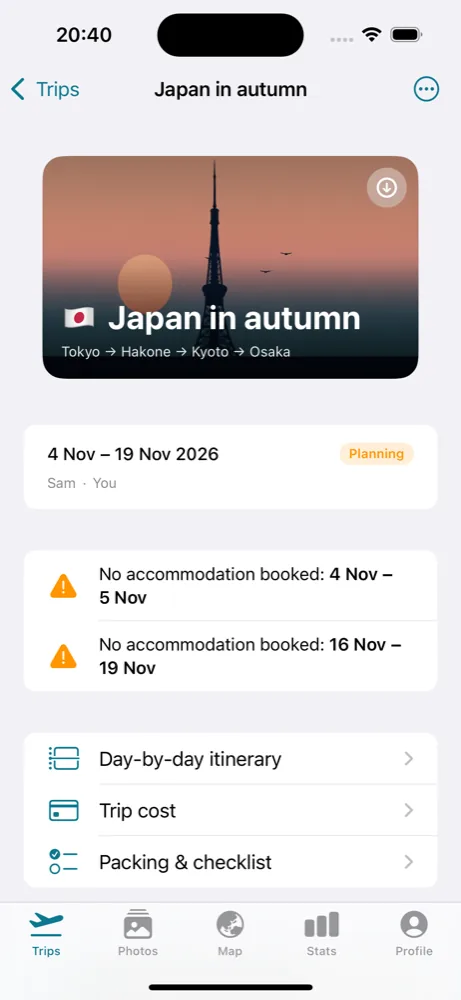
Turn on Keep offline in the trip and Trvlrr downloads it to your phone, ready before you leave. It's free, on every trip.
Questions
Yes. Once a trip is kept offline, everything listed above opens without a connection.
Previews are. Full-size photos load when you have a connection.
Yes. Keep offline is free on every trip.
Keep reading
Send a confirmation email to your private address and it lands on the right day, in local time.
Read more →A day-by-day plan with the gaps flagged, and a planner that knows how you travel.
Read more →A seat for your partner, one trip for a friend, a read-only link for family.
Read more →Free to start on iPhone and the web. Trvlrr Plus adds unlimited photos, photo search, people, the planner and a seat for the person you travel with.