
1. Copy your address
In the app, open Profile → Forward bookings. Your address looks like trips-8k2p@trvlrr.app and only you have it.
Forward bookings
Every Trvlrr account has a private email address. Send it a confirmation — a flight, a hotel, a train, a tour, a table — and it lands on the right trip, on the right day, in the time zone the ticket was written in.
How it works
In the app, open Profile → Forward bookings. Your address looks like trips-8k2p@trvlrr.app and only you have it.
From any mail app. Trvlrr reads the booking — times, places, seats, references — and nothing else.
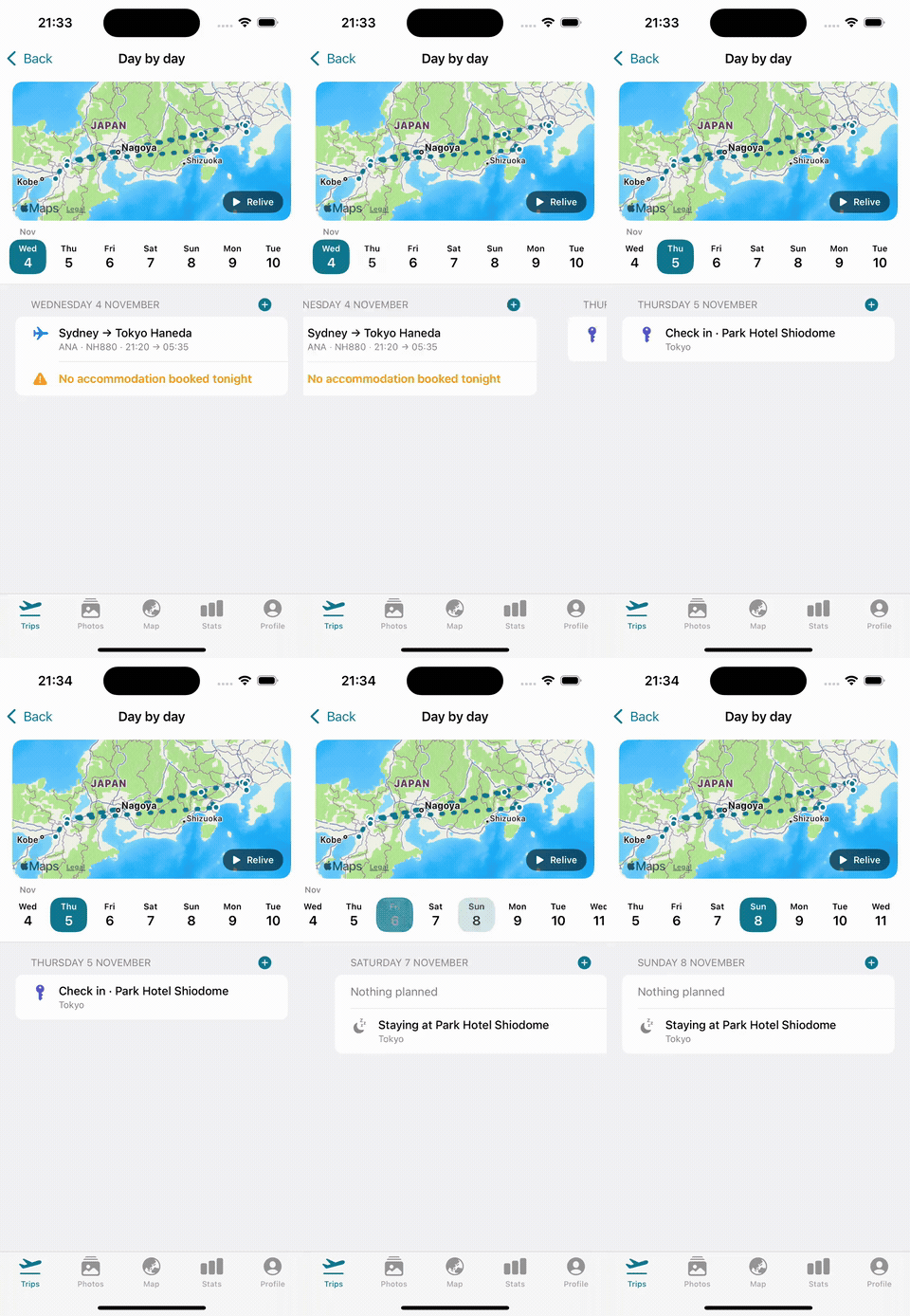
It's filed on the trip it belongs to, or starts a new one, and appears in the day-by-day plan.
From inbox to itinerary
Confirmations from airlines, rail operators, hotels, Airbnb, car hire and activity sites — and the PDF tickets attached to them.
Set it and forget it
Trvlrr walks you through a Gmail filter that forwards new bookings from the usual senders automatically, and confirms Google's verification email for you. There are rule guides for Outlook and iCloud Mail too. Gmail only forwards new mail, so forward the bookings you already have once, by hand.
When plans change
A schedule change or a delay notice updates the booking it refers to. A cancellation is never acted on silently: the trip shows what was cancelled and why, and nothing is removed until you confirm.
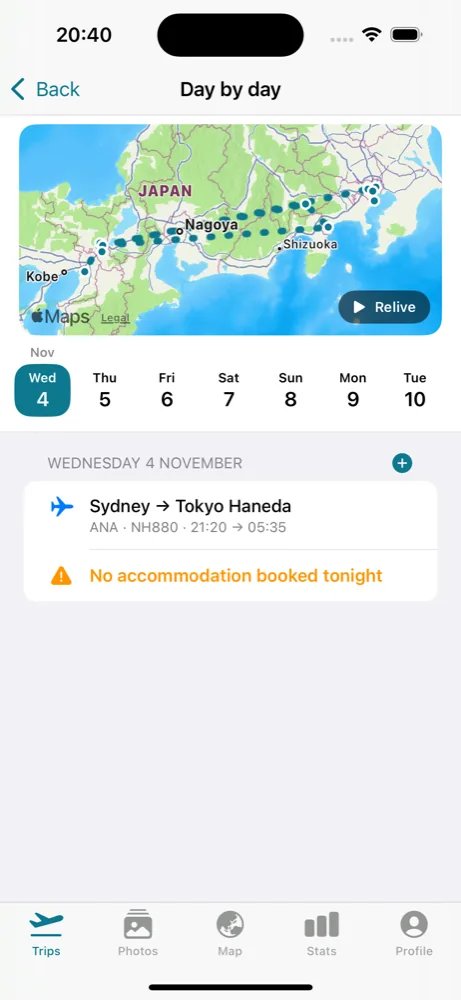
A 21:20 departure from Sydney reads 21:20, and an arrival the next morning in Tokyo reads 05:35 +1 — stored with the time zone of the place, so countdowns, reminders and the order of the day are right wherever you are.
Questions
No. Trvlrr only sees what you send to your Trvlrr address. If a forwarding rule catches ordinary mail, a classifier recognises that it isn't a booking and discards it without extracting anything; Trvlrr keeps the sender, subject and decision for 90 days so a mistake can be found, never the message.
Any. Forwarding by hand works from every mail app. For automatic forwarding there is a guided Gmail set-up, and rule guides for Outlook and iCloud Mail.
Yes, within the free plan's three imports a month — each forwarded booking uses one, as does a trip brought in by an assistant. Trvlrr Plus covers any normal amount of travel. See pricing.
Yes. Old confirmations are filed on the trip they belong to, and past trips count towards your travel stats once they've happened.
In the forwarding, yes. Trvlrr also keeps the photos, the stats and the whole history of your travel in the same place. See Trvlrr vs TripIt.
Keep reading
A day-by-day plan with the gaps flagged, and a planner that knows how you travel.
Read more →One switch and the whole trip — bookings, tickets, the plan — is on your phone.
Read more →Ask about your trips, file a booking or plan around it from the assistant you already use.
Read more →Free to start on iPhone and the web. Trvlrr Plus adds unlimited photos, photo search, people, the planner and a seat for the person you travel with.